

This is Part 1 of the Operyn Product Guide Series. Over the next 10 modules, the series covers everything from initial setup to advanced AEO execution, including intent-based prompt tracking, citation gap diagnosis, and semantic content briefing. Each module builds on the last. If you haven’t read the Intent-First Tracking Framework piece, start there for the strategic context behind Operyn’s measurement approach.
How to Calibrate Your AI Tracking Environment | Operyn Guide
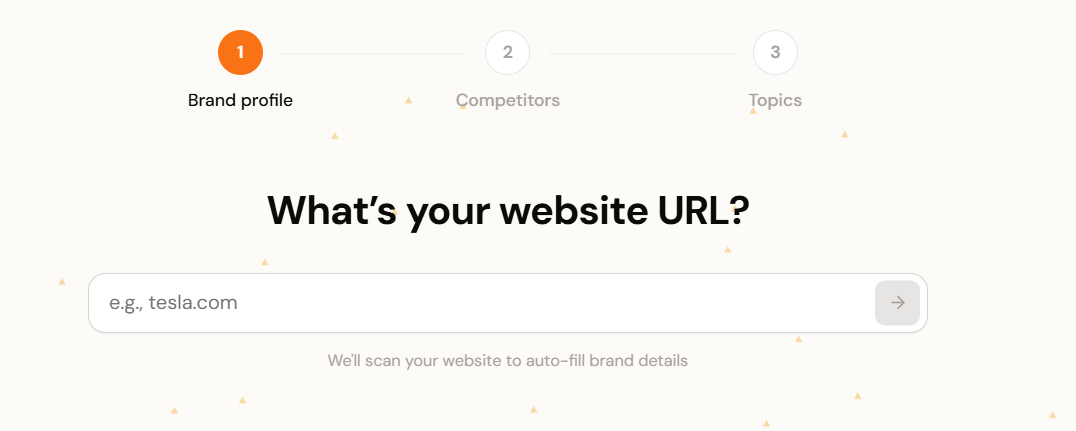
Once you have created your Operyn account, your immediate next step is to calibrate your AI tracking environment. Operyn’s onboarding automates the heavy lifting. The only job is to enter your domain and the system fetches your brand profile, identifies competitors, and generates your initial topic taxonomy.
However, that automation is only as good as the inputs you give it. If your competitor list includes aggregators alongside direct rivals, your Share of Voice calculations will be off from day one. If your queries are generic keywords instead of buyer-intent prompts, the system burns processing bandwidth on data nobody can act on.
Five minutes of calibration up front prevents hours of cleanup later. The checklist below walks through three steps: verifying your brand entity, cleaning your competitor list, and converting your keyword instincts into intent-segmented prompts. Each one tightens the data that flows into your dashboard, competition, and citation modules downstream.
Verify Your Brand Entity (Minute 1)
Operyn’s AI visibility tracking anchors to your domain. When you enter your website, we use that root domain to establish your baseline entity, then surface a brand profile for your review.
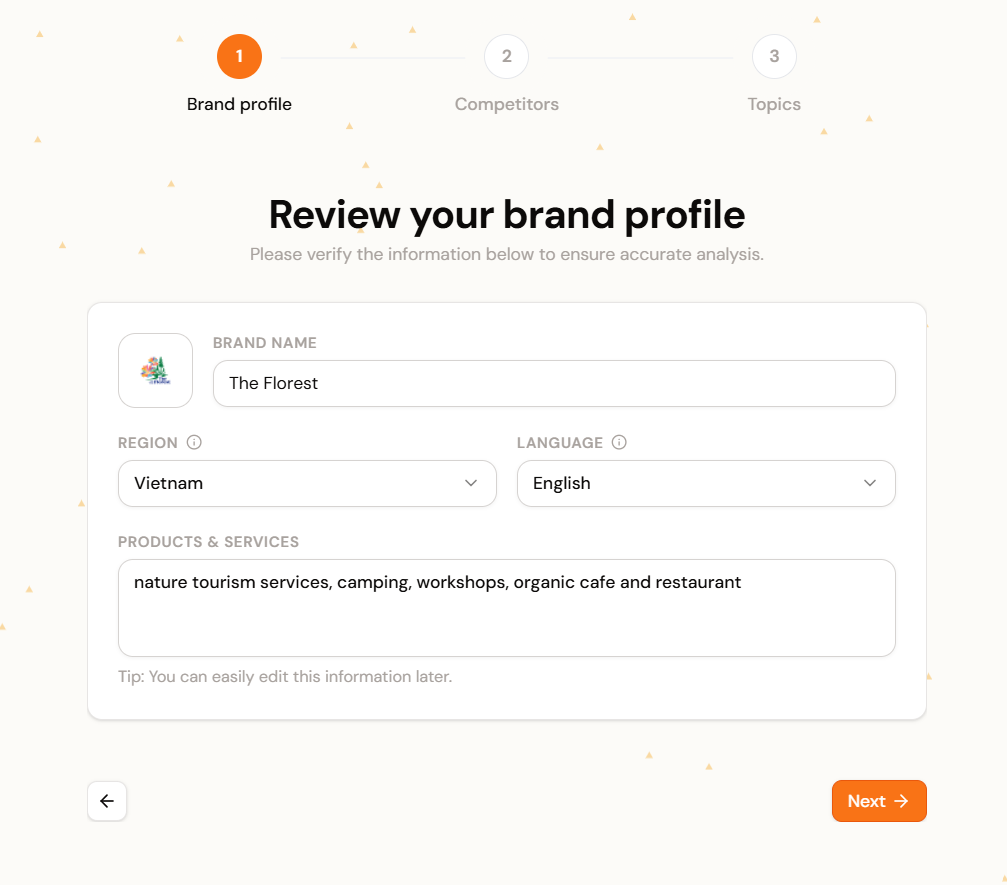
Three fields need your attention before you proceed:
- Canonical domain. Use your exact root domain (e.g.,
brand.com). Localized subdomains likeuk.brand.comshould only go here if you are building a dashboard for that regional entity alone. A mismatched domain means every downstream metric measures the wrong entity. - Region and language. LLMs generate different outputs for different locales. A prompt in British English surfaces different brands than the same prompt in Bahasa Melayu. Set this to the market you monetize. Leaving it broad means you track global noise instead of your actual competitive landscape.
- Products and services. This seed context tells Operyn where you sit in the model’s semantic map. “Enterprise project management for remote HR teams” gives the system a narrow, useful signal. “Software” gives it nothing to work with.
Clean the Competitor List (Minute 2)
Operyn auto-discovers competitors from your entity profile and presents them for selection. Review this list before you confirm.
Your SOV calculations divide the AI’s attention across every brand on this list. Each irrelevant entry dilutes the metric.
- Keep direct commercial rivals. These are the businesses a buyer would evaluate alongside yours. Your SOV against this set reflects actual market share in AI-generated recommendations.
- Remove aggregators, publishers, and forums. Reddit, Wikipedia, G2, and similar domains are not your competitors. They are citation destinations. Leaving them in the primary competitor list inflates the denominator of your SOV calculation and makes your commercial share look artificially low.
Transition from Keywords to Prompts (Minutes 3 to 5)
After onboarding completes, Operyn generates a baseline set of topics and queries. The auto-generated list gives you a starting point, but it needs editing. Navigate to Configuration > Queries in the left sidebar.
Audit the automated list
Review each auto-generated query. If a query lacks commercial intent or doesn’t map to revenue, toggle its Tracking Status to pause it. Paused queries stop consuming processing bandwidth but remain available if you want to reactivate them later.
Add the prompts your buyers actually ask
Click + Add Query and input the exact questions your sales team hears before a deal closes. Focus on three intent tiers:
- Discovery intent: “How to reduce customer support response times.” No brand names. The AI decides whether to mention you. This measures organic mindshare.
- Consideration intent: “Alternatives to [Competitor] for enterprise teams.” The AI builds a shortlist. You track whether you appear and how the model frames you.
- Conversion intent: “Does [Your Brand] integrate with Salesforce?” Your name is in the prompt. SOV is guaranteed. You track accuracy: is the AI’s answer current and correct?
(Part 2 in this series covers the Intent-First Framework in detail. All three tiers belong in your tracking environment, but each one measures something different. Blending them into a single SOV score without that context obscures the signal each tier provides on its own.)
Assign every query to a topic
Each query should map to a specific Topic cluster. This mapping drives the data in your Competition module’s topic heatmaps. Queries without a topic assignment won’t surface in competitive analysis views.
Setting Up Your AI Tracking Environment: What Happens Next
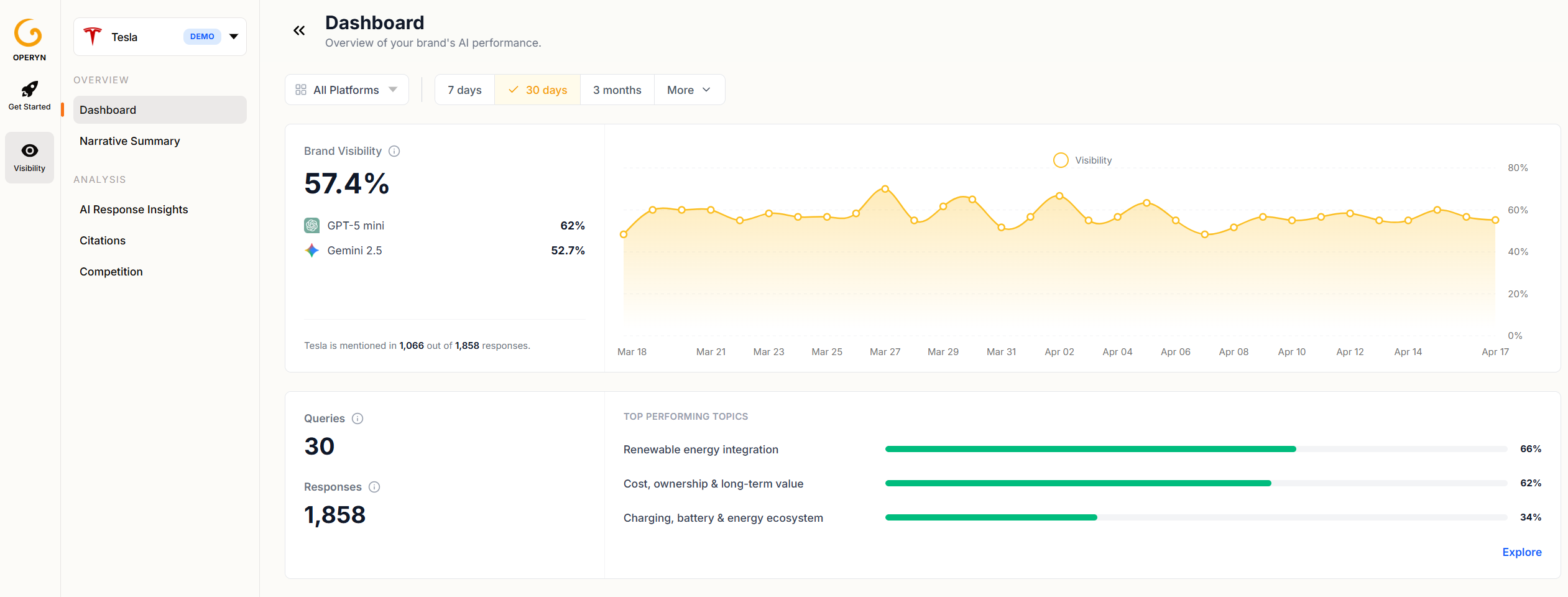
Congratulations, your AI tracking environment is calibrated. The initial analysis takes up to one hour to query the LLMs and aggregate your baseline metrics. You can explore Operyn’s demo data while the system processes your inputs.
How to Calibrate Your AI Tracking Environment | Operyn Guide
Once your data populates, the dashboard and analysis modules (AI Responses, Citations, Competition, Perception) will reflect the intent-segmented, competitor-scoped environment you just built.
Next in this series: Part 2: The Intent-First Framework explains how AI engines process the prompts you configured and why reading your data through intent tiers changes the decisions you make.

Leela Adwani
AI Visibility Researcher and Editor